






Album proofs your clients can point at.
Lay out an album from their selections, send it into the gallery, and get comments pinned to the exact spot on a spread. Swaps, replies and approval stay with the version they belong to.
In every plan. No separate album app, no PDF proofs by email.
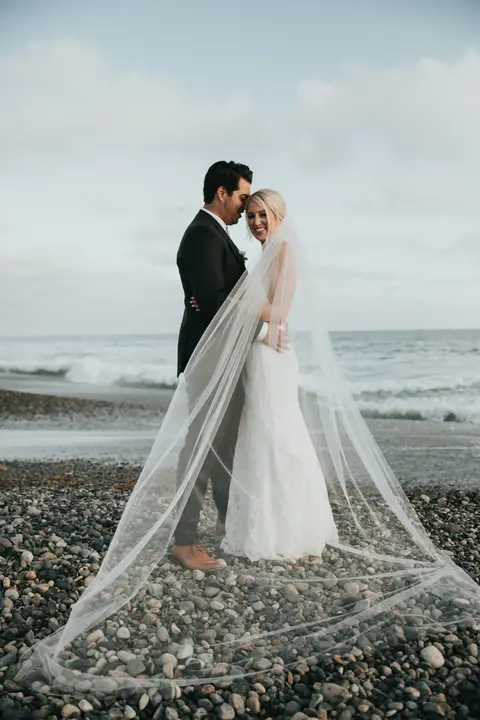



Click the spread to drop a comment exactly where it applies.
From selections to an approved album
Start from their picks
An album’s photo pool comes from a submitted selection, a favorites list, or photos you choose by hand.
Auto-design, then refine
Auto-design lays out spreads by time or by set, airy or dense, cropping around what stands out in each photo. No face detection is used.
Send version 1
Sending freezes the draft into a version the client opens inside their gallery, in a page-turn viewer on phone or desktop.
Comments, swaps, approval
Clients pin comments, ask to replace a photo with another from the gallery, then request changes or approve. You reply in the same thread.
Every round is its own version.
Sending a proof freezes it, so the album your client reviews is exactly the one you sent. While a version waits for feedback, the draft is locked; recall it if you spot something first. When the client responds, that version closes and you work on the next one, with their comments still attached to the spreads they were about.
You can resolve comments as you go, so version 2 starts with a clear list of what changed. When they approve, the album is ready to export.
- Spread 4: "Can this photo be bigger?"
- Spread 7: swap for a favorite from Portraits
- Spread 11: "Love this page!"
While a version waits for the client, the draft is locked so the version they review is the one you sent.
Only the right people can approve.
Only verified gallery visitors can review an album, and when the album has a reviewer list, only the people on it. By default that is the client's own email addresses, so a curious guest with the gallery link can look at photos but cannot approve a wedding album.
Covers come in photo wrap, material and material with a window, with the spine worked out from page count and paper. Extra spreads can carry a price, and album extras go into the same gallery cart and invoice as prints.
Print files made from the originals.
Approved albums export as print-ready JPEG spreads rendered from your original files: sRGB, 300 DPI, with bleed, and never watermarked, even when the gallery previews are. The export is built in the background and zipped on Semuko storage, ready to upload to your album lab.
Album proofing pairs with proofing and selections, which collects the photos that go in, and with the print store for the prints that do not.
What each plan includes
Album designer with auto-design
- Essentials
- Included
- Studio Pro
- Included
- Agency Unlimited
- Included
Client album proofing with pinned comments and swaps
- Essentials
- Included
- Studio Pro
- Included
- Agency Unlimited
- Included
Versions, reviewer list and approval
- Essentials
- Included
- Studio Pro
- Included
- Agency Unlimited
- Included
Print-ready spread export from originals
- Essentials
- Included
- Studio Pro
- Included
- Agency Unlimited
- Included
| Feature | Essentials$39.95/mo | Studio Pro$79.99/mo | Agency Unlimited$149.99/mo |
|---|---|---|---|
| Album designer with auto-design | Included | Included | Included |
| Client album proofing with pinned comments and swaps | Included | Included | Included |
| Versions, reviewer list and approval | Included | Included | Included |
| Print-ready spread export from originals | Included | Included | Included |
Plans are billed monthly or yearly (10% off yearly). Every plan starts with a 30-day free trial that includes Galleries Pro. Full pricing
Questions studios ask
Do clients need to download anything to review the album?
No. The album opens inside their gallery in the browser, with a page-turn viewer that works on phones as well as desktops.
Can a client ask to swap a photo?
Yes. On any photo in a spread they can ask to use another photo instead, picked from the gallery. The request shows on that spread with their comment.
Does auto-design use face recognition?
No. Crops are centered on the parts of each photo that stand out visually. Semuko does not scan faces.
Can I edit the album while the client is reviewing it?
Not the version they are reviewing. Recall it to keep editing, or wait for their feedback and work on the next version. This keeps comments matched to what they actually saw.
Can I order the album from a lab inside Semuko?
You export print-ready spreads and upload them to your album lab. Prints sold in the gallery store are fulfilled by you today; WHCC lab ordering is coming soon.
Related gallery features
- Proofing and selectionsFavorites, named lists, package counts and extras that invoice themselves.
 Print store and salesPrints, downloads, coupons, gift cards and sales emails, with no commission.
- Remote ordering sessionsPresent a gallery live, preview wall art in a room at true scale, check out together.
 Galleries for photographersBooking to album, with every favorite and order on the client record.


Send your next album proof from the gallery.
Try every gallery feature free for 30 days, Galleries Pro included. No credit card.