






Twelve galleries with a point of view, eight ways to lay out the photos.
Each template is a complete art direction: its own type pairing, light and dark palettes, cover, spacing and motion. Pick one, choose a layout, add your accent color, and every gallery looks like your studio.
In every plan. 12 templates: Classic, Vellum, Hush, Nightfall, Voltage, Petal, Pop Fizz, Aurum, Meridian, Fjell, Silverprint, Premiere.
Editorial: Magazine pacing: full-width heroes, pairs, trios and set breaks.
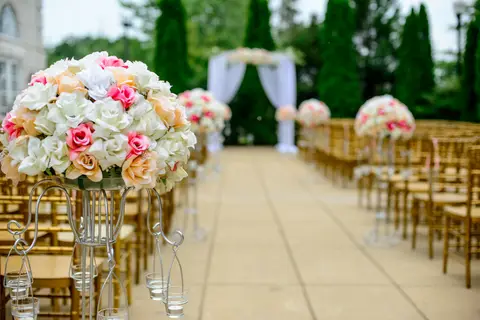


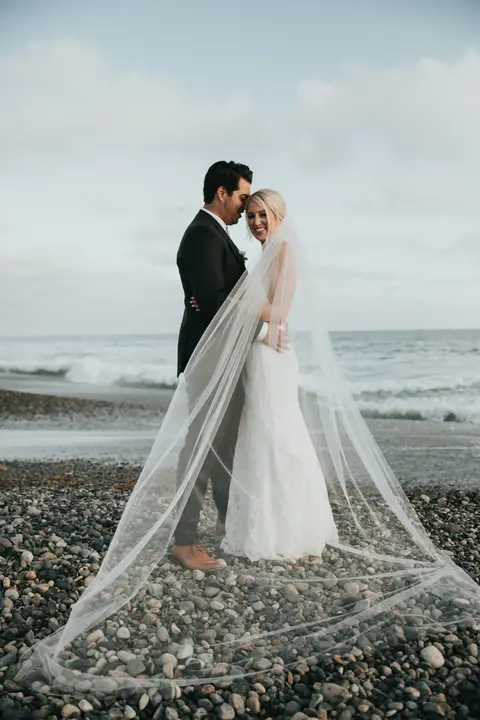


Design a gallery in four choices
Choose a template
From quiet Classic and editorial Vellum to dark Nightfall, playful Pop Fizz and the film-strip feel of Silverprint.
Choose a layout
Rows, columns, grid, editorial, mosaic, story, filmstrip or cinema. Rows and columns never crop a photo.
Set the opening
A full-screen cover, a compact photo band or none, with nine cover styles, and sets shown as tabs or as set cards.
Make it yours
Your logo, accent color and light or dark mode. Borrow another template’s fonts, or set your own display and body families.
Each template, its own type and mood.
Templates are not color swaps. Each one decides its header, set tabs, intro, tile hover, lightbox and footer, and ships with a light and a dark palette that were designed together.
The fonts are Google Fonts loaded on demand, and a gallery keeps its layout while they load, so nothing jumps under your client's thumb.
Designed for the phone first.
Most clients open their gallery from a text or an email on a phone. Every layout reflows for a narrow screen, tap targets stay large, and the lightbox swipes. On a desktop the same gallery spreads out with the template's full spacing and type scale.
- Light and dark modes in every template.
- Video-first galleries can open on a hero film, then clips, then photos.
- An optional welcome note above the photos, in your words.
- Turn favorites, comments and sharing on or off per gallery.
Want to see it as your client does? The Client Galleries page has a demo gallery you can heart photos in.
The same design on your portfolio and studio site.
Portfolios with categories use the same templates, on your address at glowsake.com, or on your own domain with Galleries Pro. White-label galleries and portal, without the Glowsake credit, come with Agency Unlimited. More on the client side on the Glowsake page.
What each plan includes
12 templates and 8 layouts
- Essentials
- Included
- Studio Pro
- Included
- Agency Unlimited
- Included
Your logo, accent color, fonts, light and dark
- Essentials
- Included
- Studio Pro
- Included
- Agency Unlimited
- Included
Portfolio and studio site on glowsake.com
- Essentials
- Included
- Studio Pro
- Included
- Agency Unlimited
- Included
Studio site on your own domain
- Essentials
- $15/mo add-on
- Studio Pro
- Included
- Agency Unlimited
- Included
White label (no Glowsake credit)
- Essentials
- Not included
- Studio Pro
- Not included
- Agency Unlimited
- Included
| Feature | Essentials$39.95/mo | Studio Pro$79.99/mo | Agency Unlimited$149.99/mo |
|---|---|---|---|
| 12 templates and 8 layouts | Included | Included | Included |
| Your logo, accent color, fonts, light and dark | Included | Included | Included |
| Portfolio and studio site on glowsake.com | Included | Included | Included |
| Studio site on your own domain | $15/mo add-on | Included | Included |
| White label (no Glowsake credit) | Not included | Not included | Included |
Plans are billed monthly or yearly (10% off yearly). Every plan starts with a 30-day free trial that includes Galleries Pro. Full pricing
Questions studios ask
How many gallery templates are there?
12: Classic, Vellum, Hush, Nightfall, Voltage, Petal, Pop Fizz, Aurum, Meridian, Fjell, Silverprint, Premiere. Each has light and dark palettes and works with all 8 layouts.
Can I use my own fonts and colors?
Yes. Set an accent color, borrow the font pairing from another template, or set your own display and body font families. Your logo goes in the header.
Which layouts never crop photos?
Rows and Columns keep every photo uncropped. Grid uses square crops, and Editorial, Mosaic, Story, Filmstrip and Cinema each pace photos their own way.
Do galleries work well on phones?
Yes. Every template and layout is built to reflow on a phone, with large tap targets and a swipeable lightbox.
Can I change the template after a gallery is published?
Yes. Change the template, layout or mode at any time; the gallery link stays the same.
Related gallery features
 Glowsake app and sitesThe client app and web home from the Semuko family, plus studio sites.
- Proofing and selectionsFavorites, named lists, package counts and extras that invoice themselves.
- Video and film reviewStream films next to photos and collect notes pinned to the exact frame.
 Galleries for photographersBooking to album, with every favorite and order on the client record.



Pick a template for your next gallery.
Try every gallery feature free for 30 days, Galleries Pro included. No credit card.